Chapter 08 of 16 · 4 min · 50% through
Teaching it something once
Describe a capability in a sentence — “review technical articles for accuracy, flag uncertain claims, suggest corrections” — and what comes back is a card: when this is useful, when it should not be used, what it needs, what it returns. Change anything in plain English, switch it on, and from then on the system reaches for it when a task calls for it. Nobody has to remember it exists.
The design choice that keeps this small: a skill is not a new subsystem. It produces the same kind of specification that a built-in tool, a connected server, or a wrapped API produces. Nothing downstream needs a separate architecture for each capability — the planner, the ranker, the permission guard and the usage ledger can treat a skill exactly like anything else on the same plane.
Without restraint — Every capability, every time. A system eager to apply everything it has is exhausting to work with, and quietly expensive.
With restraint — The right capability, or none. Knowing when to leave something alone is what makes the system feel like judgement rather than a checklist.
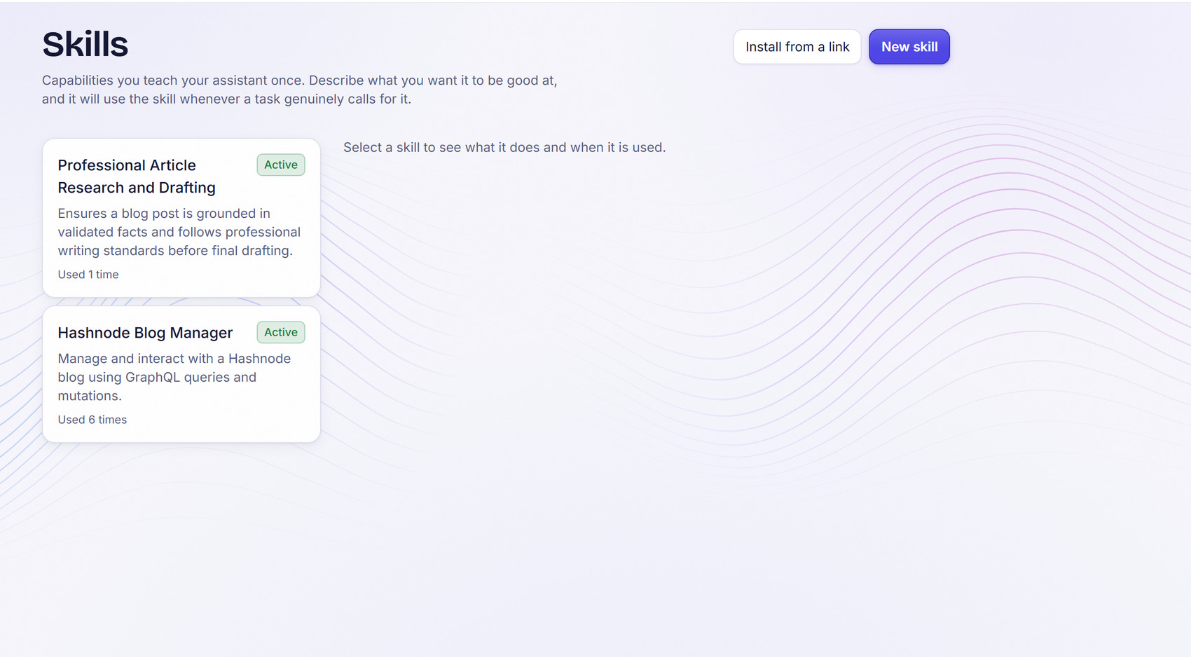
A capability card’s most important field is the second one — when it should not be used. That is not documentation for a person to read; it is a negative constraint that keeps a skill from leaking into work it was never meant for. And a failure inside a skill returns a readable result rather than ending the conversation: a capability a person taught the system must never be able to take the exchange down with it.
A worked example
Take an ordinary sentence: “review technical articles for accuracy — check the important claims, flag the uncertain ones, suggest corrections.” What comes back is a card, not a script.
Professional Article Review
When useful — A draft or published article needs its factual claims checked before it goes out. When not The text is opinion or narrative rather than a claim of fact — there is nothing here to verify. Needs The article text, and access to search when a claim cannot be checked from what is already known. Returns A list of flagged claims, each with a confidence note and a suggested correction where one applies.
A person reads this, edits any line in plain English, and switches it on. From that point the card does two kinds of work at once: the first half tells the system when to reach for the skill, and the second half — the one most systems skip — tells it when not to. Ask this same system to help plan a birthday dinner, and the review skill stays quiet, because nothing in that request matches what the card says it is for.
Skills that bring their own tools
A plain-language capability card is enough for a skill whose work is entirely reasoning: reviewing a document, drafting a message, checking a claim. Some real tasks need more than reasoning. They need an actual piece of software — a library that renders a chart, a linter that checks a specific file format, a converter for a file type the system does not natively understand.
For those, a skill can point at a public code repository, and the system can fetch and install what that repository provides as part of teaching itself the skill, rather than a person installing anything by hand.
Fig. 7.1 — A description, or a description plus real, installed software — the same teaching moment either way.
This is where permission earns its keep in a new way. Installing code is a different order of action from reading a document, and it is treated that way — something to review and approve before it runs, not something a skill quietly does on the strength of one sentence. A skill that brings its own tools still enters the same capability plane described elsewhere in this book once it is set up, and it is still checked, every time it runs, against what the current piece of work is actually allowed to do.
The value of this is straightforward: a person’s vocabulary for what they need — “something that can generate this kind of diagram,” “something that validates this file format” — is rarely a vocabulary of package names. Letting a skill find and install the actual software behind a plain request closes the gap between describing what is needed and having it available, without turning every request into a manual setup task.