Chapter 06 of 20 · 3 min · 30% through
Details, and the search-result preview
Everything that is not the writing
The details panel holds the article’s metadata. It is worth walking through field by field, because each one exists for a reason and several of them have a sharp edge.
Title is the headline, and it is also the default for everything else — the browser tab, the social card, the search result — unless something more specific is set.
Subtitle is one line under the headline. Optional, and usually better empty than filled with a restatement of the title.
Slug is the URL. It defaults to a tidied version of the title and can be edited. This is the field with the sharpest edge in the whole panel: changing the slug of a published article changes a live URL, and anything already linking to it breaks. The panel shows the resulting path underneath the field so the consequence is visible while you are typing it.
Status — draft or published. The whole draft rule hangs off this one field.
Date is the publication date, used for ordering and shown on the article.
Category comes from a fixed list defined in the site settings. Fixed on purpose: a free-text category field becomes twelve near-duplicates within a year.
Series is free text with autocomplete from series already in use. Series are looser than categories — they get created as needed — so the autocomplete exists to stop “SAP ERP Series” and “SAP ERP series” becoming two things.
Tags are comma-separated and entirely free.
Cover image is the picture at the top of the article.
The search-engine section
Below the fold of the panel sits a group of fields aimed squarely at how the article appears somewhere other than this site.
SEO title and SEO description override the title and excerpt for search engines, each with a character counter against the length search results actually display. Left empty, they fall back to the real title and the article’s brief — which is usually right, and the counters are there for the times it is not.
Underneath them is the part I use most: a live search-result preview.
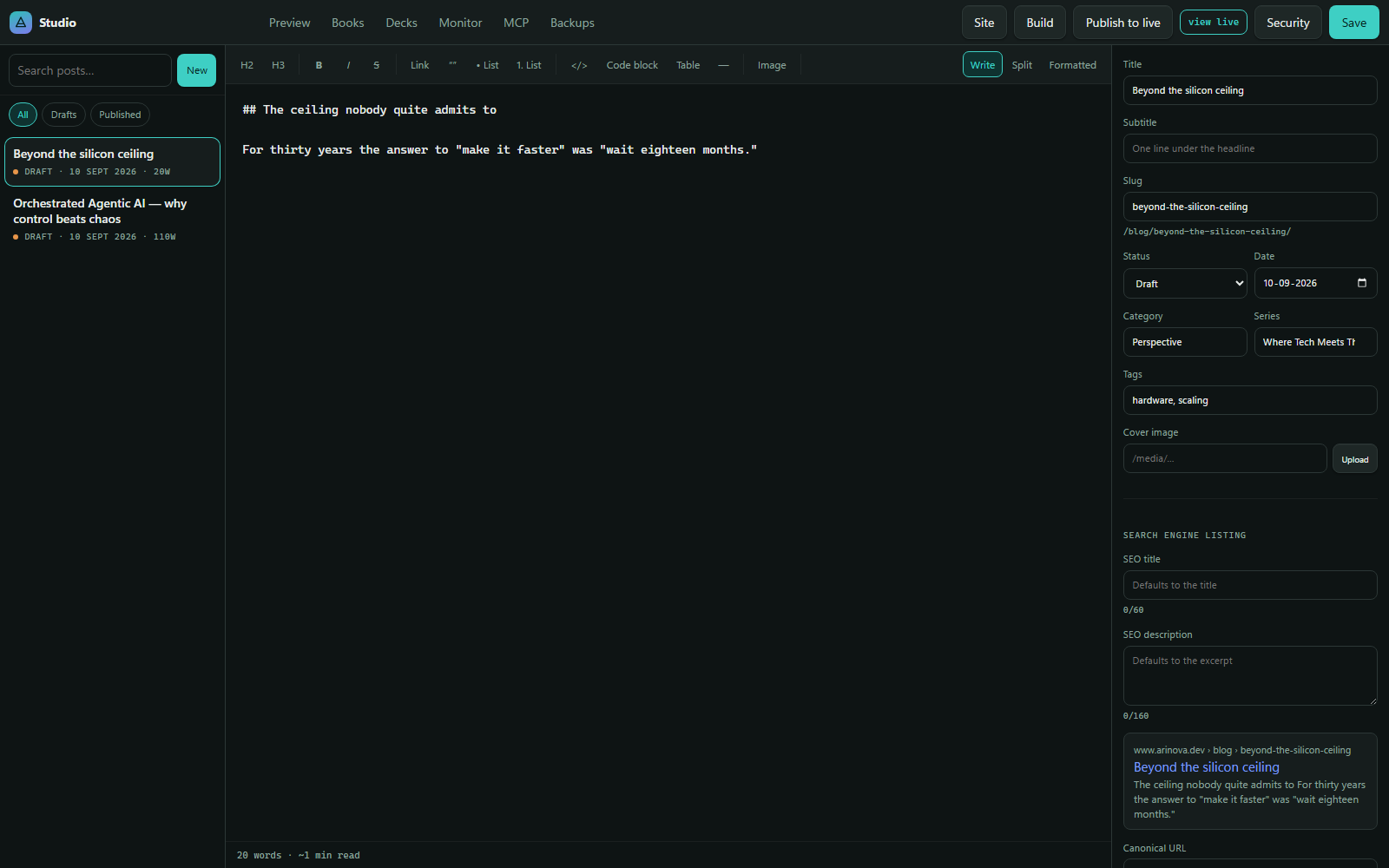
It renders the domain, the URL path, the title and the description exactly as a search result would, updating as the fields change. It is a small thing that replaces a large amount of guessing. A title that reads well as a headline is often too long or too vague as a search result, and seeing both at once is the only reliable way to notice.
Canonical URL is the last field, and it matters if a piece was published elsewhere first. It points search engines at the original so the two copies do not compete.
Why this is a panel and not a form
Nothing in this list is required to write. A new article has a title and a body and sensible defaults for the rest, and it can be saved, previewed and worked on for as long as I like in that state.
The metadata becomes interesting at the point of publishing, and that is when the panel earns its place — one screen, everything the outside world will see, including a preview of the result. Not a form that gates writing, but a checklist that happens to be permanently visible.