Chapter 04 of 20 · 3 min · 20% through
Studio — the desk
A CMS that runs on my machine
Studio is the editing half of the system. It is a small web application that runs locally, serves itself over a secure connection, and starts locked.
It is not deployed anywhere. It is not on the public internet. It does not share a process, a port or a domain with the published site. The only thing it has in common with the public site is the folder of content files it writes and the site reads.
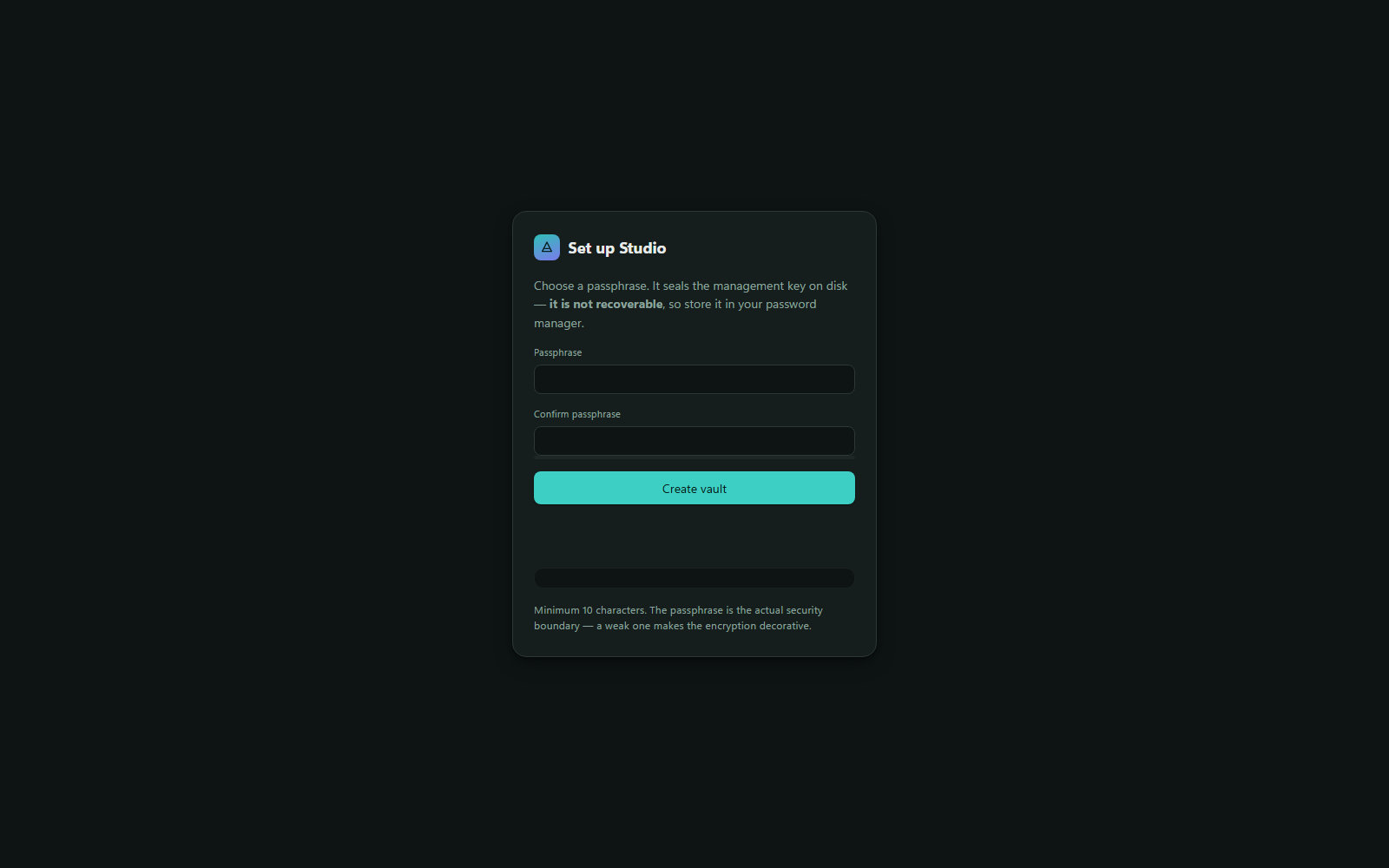
Starting locked matters more than it sounds. This application can publish to a live site. Anything that can do that should be inert by default rather than sitting open in a browser tab, and unlocking should be a deliberate act rather than a thing that has silently already happened.
The desk
Unlocked, Studio opens on what I think of as the desk: three panes across the width of the screen.
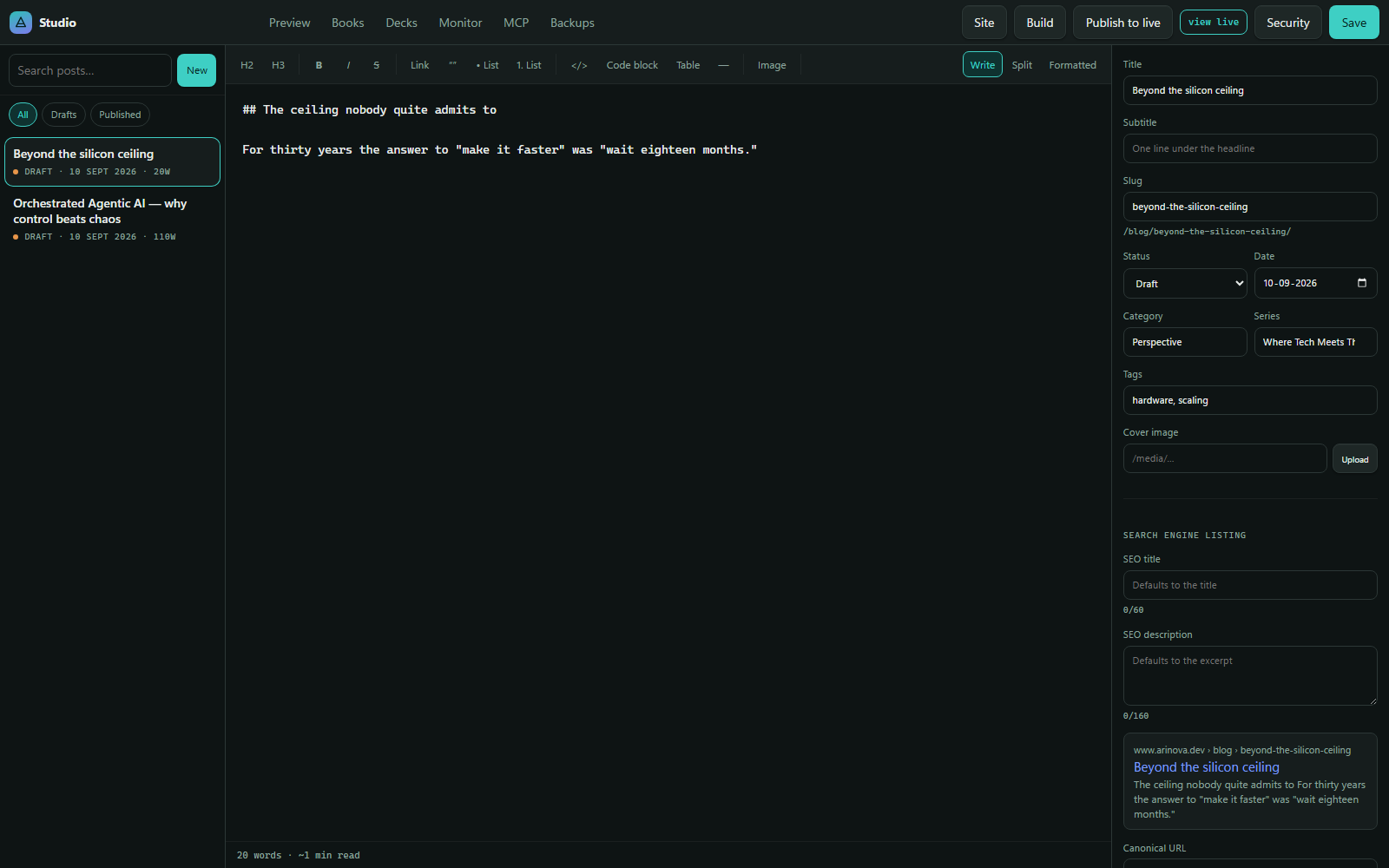
Left: the list. Everything written, newest first, with a search box and filters for drafts and published. Each entry shows its status, date and word count, so the state of the whole publication is visible without opening anything.
Middle: the editor. A Markdown editor with a formatting toolbar — headings, emphasis, links, quotes, lists, inline code, code blocks, tables, dividers and image insertion. Word count and reading time sit along the bottom edge.
Right: the details. Everything about the article that is not the article: title, subtitle, slug, status, date, category, series, tags, cover image, and the search-engine fields. That panel gets its own chapter.
At narrower widths the three panes become tabs. On a wide screen they are simply all there at once, because on a wide screen there is room and switching between them would be friction for no reason.
The tab bar
Along the top sit the rest of the modules: Preview, Books, Decks, Monitor, MCP and Backups. Each is a full-stage view — it takes the whole working area rather than squeezing into a sidebar.
Each of those gets its own chapter. What is worth saying here is that they are all the same kind of thing: a self-contained module with its own data, its own screen, and no dependency on the others. Decks were added long after the rest, and adding them meant a new tab, a new module and a new content shape — no changes to writing, books, or publishing.
The controls that act on the whole publication
Top right, four buttons that operate on the site rather than on one article:
Site — the publication’s own settings: title, tagline, navigation, categories, the author block, protection options.
Build — builds the site locally without deploying, so a build failure is found on my machine rather than in a deploy log.
Publish to live — the real one. Builds, runs the checks, and deploys.
Security — the lock, and the settings around it.
And Save, which writes the current article to disk. Saving is not publishing. A saved draft is a file on disk that the live site refuses to render — which is the single most useful property of the whole draft rule, because it means saving is always safe.
What Studio is not
It is not multi-user. There is one author and no notion of roles, review or approval. Adding those would be real work, and none of it would make writing better.
It is not a website builder. There is no drag-and-drop, no layout editing, no theme picker. The design lives in the front end’s stylesheets, in code, where changes get diffed and reviewed like everything else.
It is not required. Because content is just files, every article in this publication could be written in any text editor. Studio makes it pleasant and adds the things a text editor cannot — image processing, previews, publishing, verification — but it never becomes the only way in.